Brady Baxter · Detroit Lakes, Minnesota

Make the workwork better.

I don’t sell autopilot. I teach, audit and build with AI where it actually earns its keep — and leave it alone where it doesn’t.

I run Baxstar Fishing and Lakes Golf Simulator · 13 years in a classroom · The film is an AI render I directed. The work below it is real, and every render is labelled as one.

Start here · Four to try

Four things I built that do a job.

See all the apps
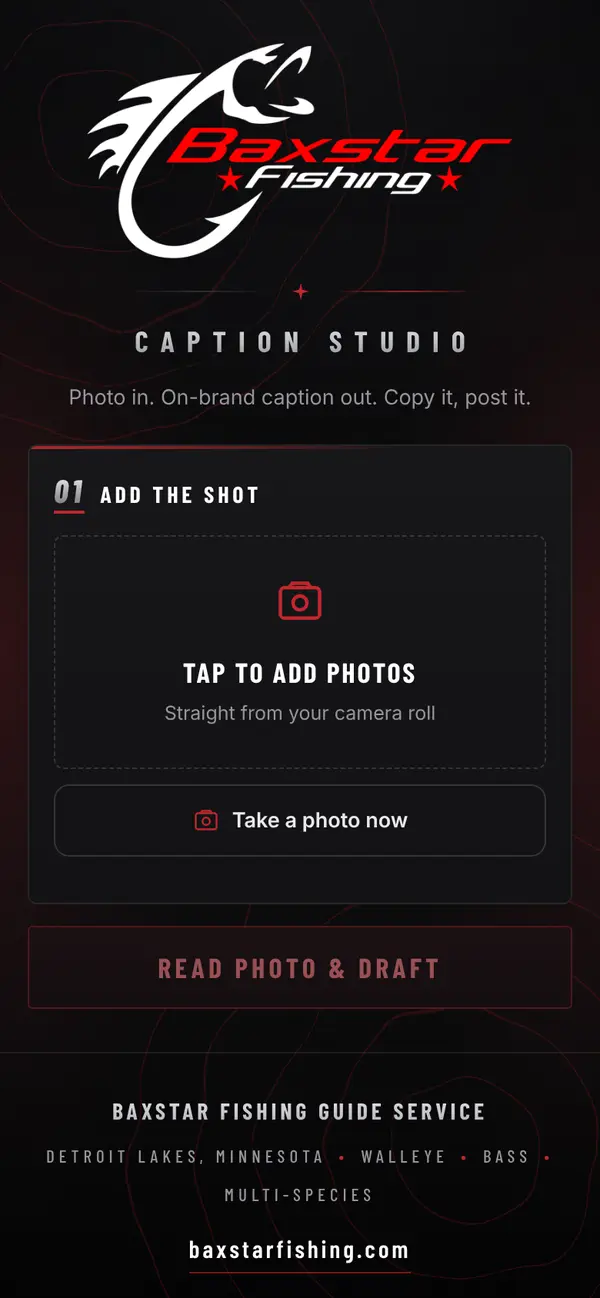
  • Caption Studio on a phone: Add the shot, Take a photo now, Read photo and draft
    Public · open it

    Caption Studio

    Photo in, finished caption out, in the brand’s voice.

    Open the app (opens in a new tab)
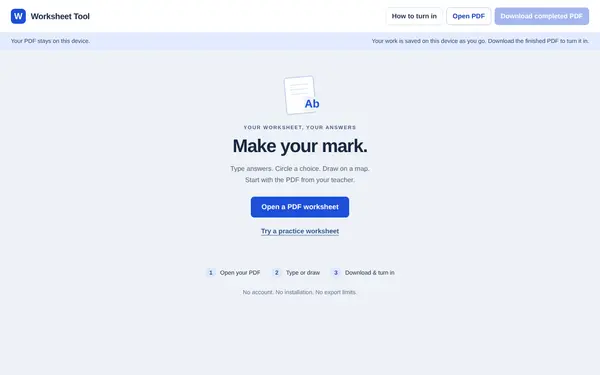
  • The Worksheet Tool: Make your mark, with an Open a PDF worksheet button
    Public · open it

    Worksheet Tool

    Open a PDF, type or draw on it, download it to turn in.

    Open the tool (opens in a new tab)
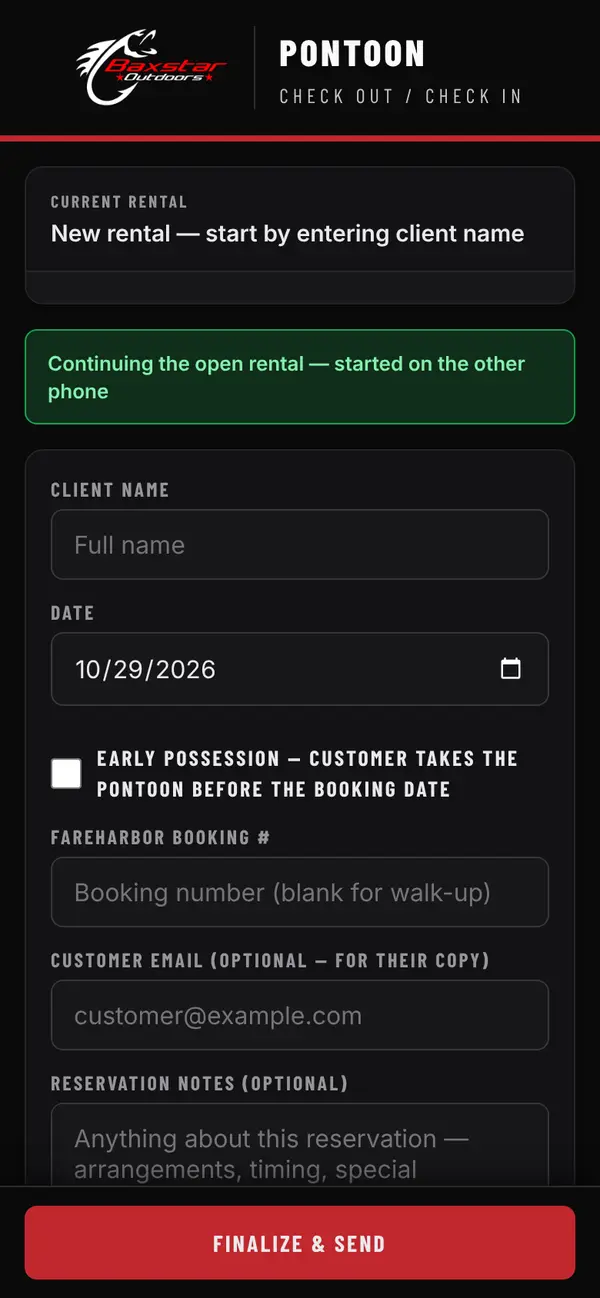
  • Pontoon Check Out / Check In on a phone: client name, date and FareHarbor booking number
    Private · in use

    Pontoon Check-In

    Replaced the clipboard at the dock. Two phones, one rental.

    See how it works
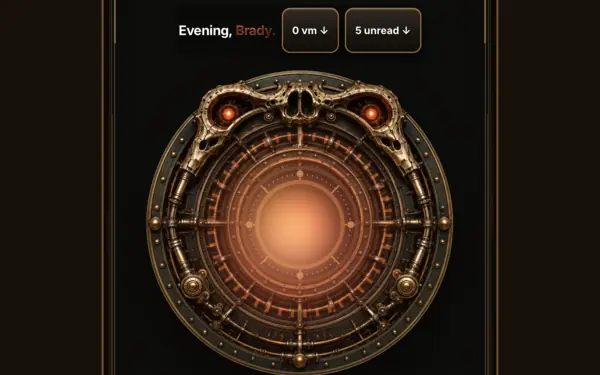
  • Baxstar Ember on a phone: Evening, Brady, 0 voicemails, 5 unread, and a glowing brass dial
    Private · live

    Baxstar Ember

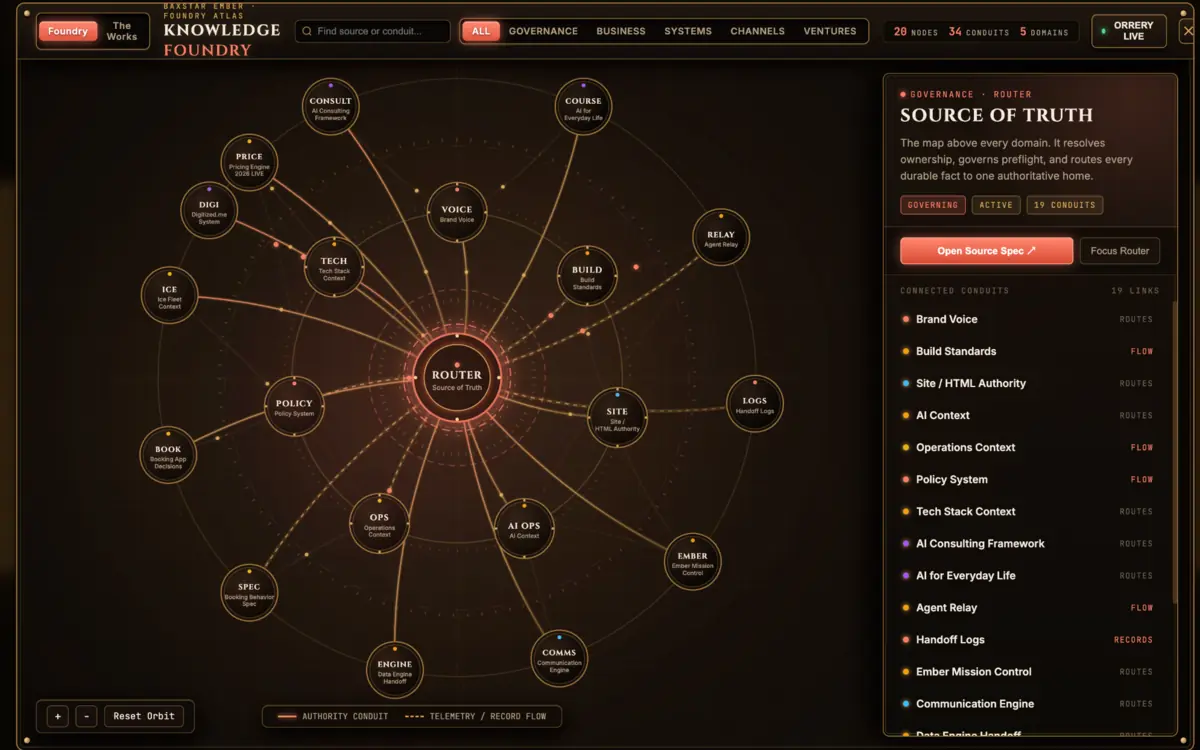
    My command center: calls, inbox, calendar, a Claude thread and the Knowledge Graph on one screen.

    See what it does

01Workflow audit

Find out what’s worth automating.

One workflow, one working session on your real screens, and a 2–3 page plan you can act on without me.

Book an audit

02Custom build

Get the one tool that fits.

When off-the-shelf won’t do it, I build the small app that will: simple on the surface, and yours to keep.

Scope a build

The portfolio · Six kinds of work

Six things I make.

Every one of these shipped for one of my own businesses before I offered it to anyone else. Real screens are labelled real; rendered ones are labelled rendered.

  1. 01Dynamic pricing
  2. 02Video
  3. 03Images
  4. 04Websites
  5. 05Advertising
  6. 06Custom apps
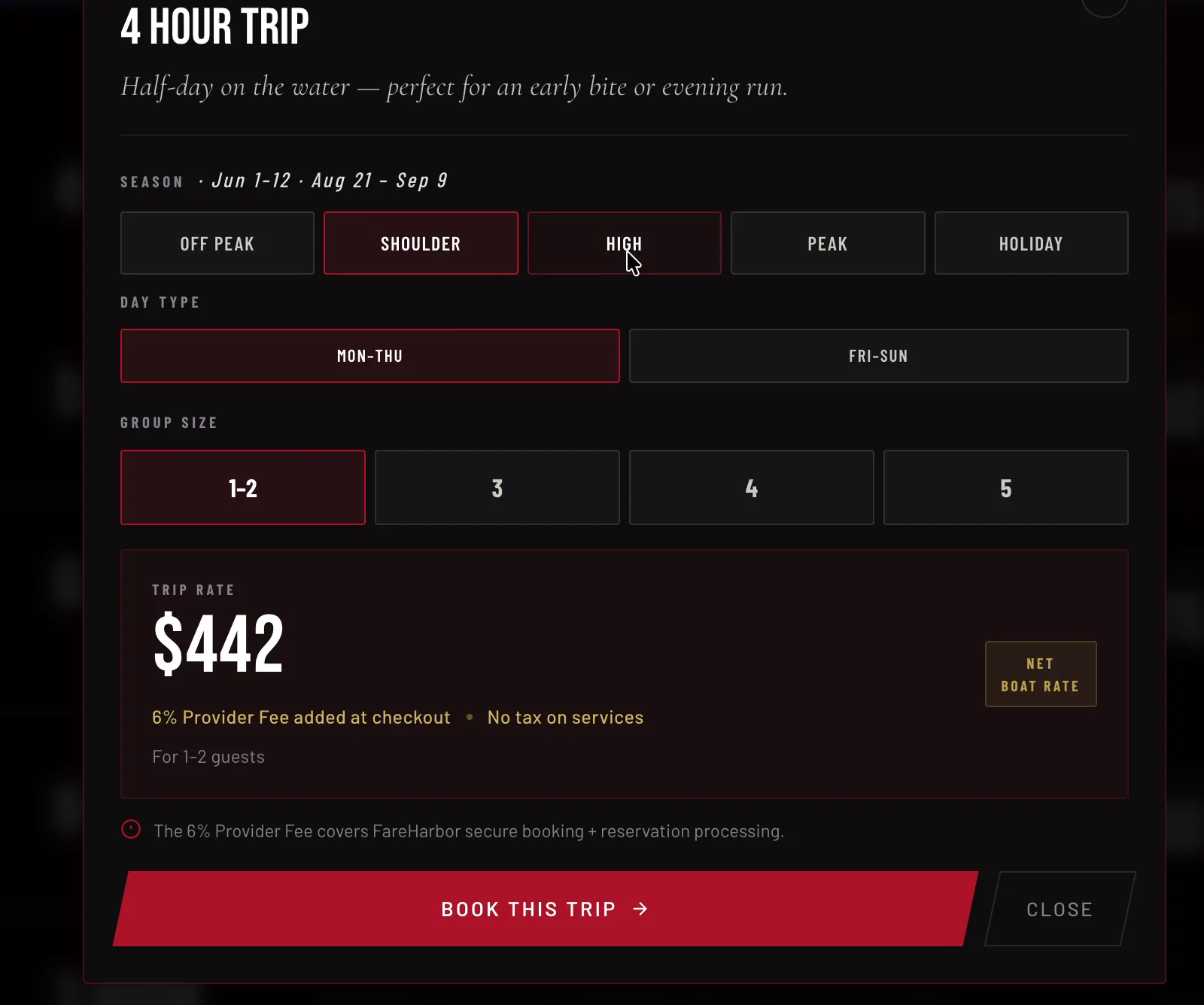
The trip-rate table on baxstarfishing.com: five trip lengths with a from-price on each, and a Check availability button

Real screen recording, 18 seconds, looping, cropped to follow the cursor. Season, day and group size change the number; the booking lands in FareHarbor.

01Dynamic pricing · a working engine

The price that knows what day it is.

Baxstar Fishing’s trip rates move with the season, the weekday and the size of the group. One pricing sheet feeds the site, the booking flow and my own dashboard, so a quote is never retyped and never stale.

  • Live on baxstarfishing.com
  • One Google Sheet is the source
  • FareHarbor takes the booking
Scope one for your prices

Also hereReservations appCommission calculator

Try itThree dials, one number

Turn the dials the engine turns.

Illustrative rules for a four-hour trip, so you can feel how a price composes. Baxstar’s live rates are on baxstarfishing.com, not here.

Season

Day

Group

$424

Four hundred base times 1.06 shoulder times 1.00 weekday plus zero for one to two guests equals 424 dollars.

Plus a 6% provider fee at checkout, shown before anyone pays. The real engine reads these rules from one sheet; change the sheet and every quote changes with it.

A frame from the AI, FOR REAL. launch ad: a man at a kitchen table under a lamp, head in his hand, buried in paperwork

AI-rendered film, directed and cut here. Sound on.

02Video creation · a 26-second ad

An ad shot without a camera.

The launch spot for my AI, FOR REAL. class: a neighbour at the kitchen table, buried in paper, and then the offer. I wrote it, directed the renders, cut it vertical for Reels and Shorts, and ran it.

  • Vertical, 9:16
  • Rendered with Higgsfield
  • My script, my cut
Make one for your business

Also hereThe city-at-night hero film39-second walkthroughAsk AI to ask you

Two AI renders, directed here: the lounge as a classroom, and a class night in session. The room is real; the people aren’t. Click either to enlarge.

03Image creation · directed renders

The room is real. The people aren’t.

Lakes Golf Simulator, rendered as the classroom it becomes on class nights. I use these on the class page and in the ads. Every one is labelled as a render, because a photo that lies costs more than it earns.

  • Used on ai.lakesgolfsim.com
  • Labelled as generated, every time
Get images that fit your place

Also hereOne note, one revisionThe class cards

Four of the six live sites, captured this week. Click one to open it in the gallery.

04Website creation · six live, two concepts

Sites that take the booking.

Six live sites run my businesses: they price the trip, take the booking, sell the seat. Each one is a single fast file I built with Claude Code: hosted for free, quick on a phone at the lake, with no plugins to renew and no platform fee.

  • Six live sites, two concepts
  • Built with Claude Code
  • Free hosting, no subscriptions
See all the websites

Also here39-second walkthroughThe boat site, end to end

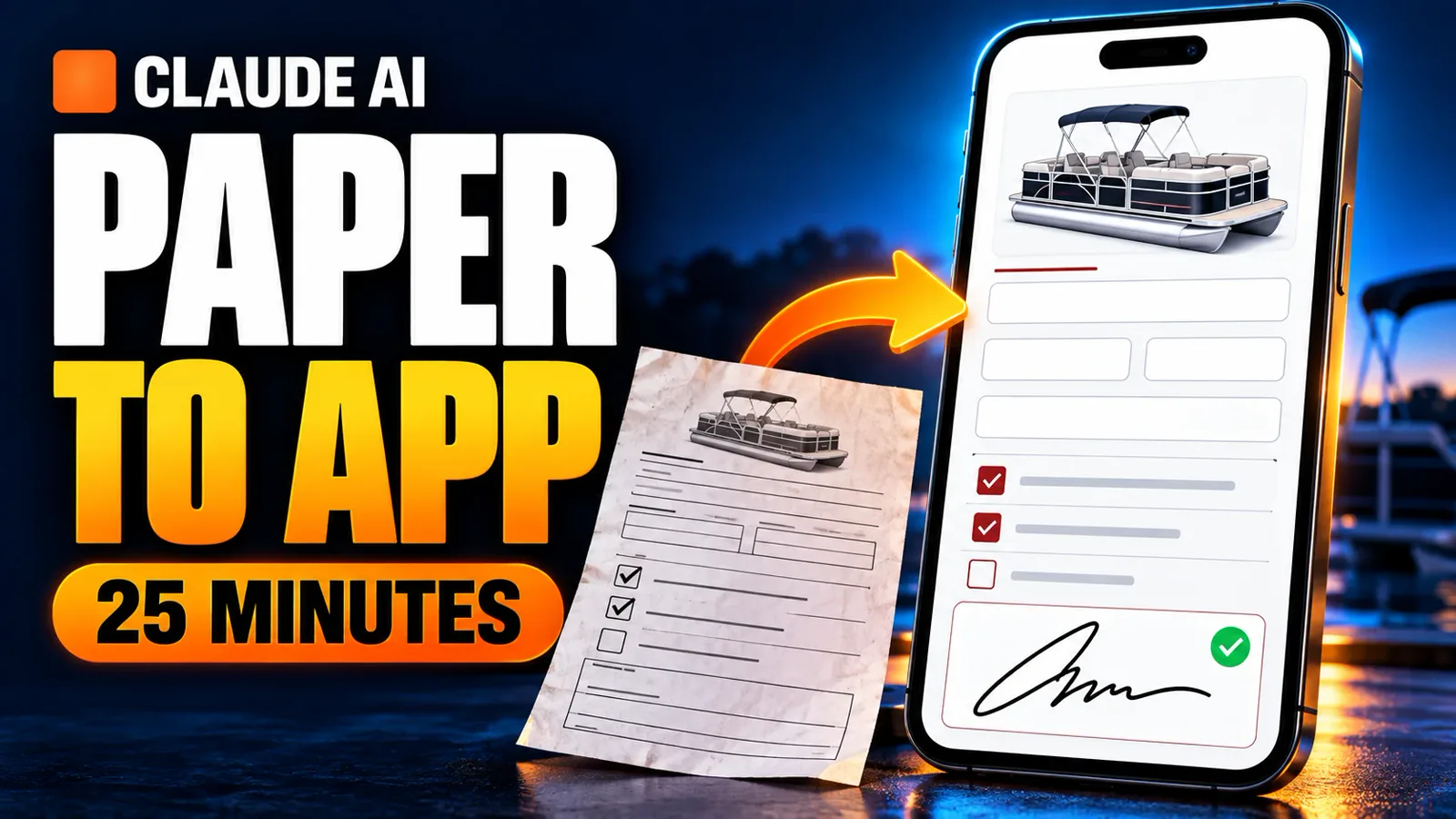
Covers for the YouTube walkthroughs and cards for the class launch. Rendered backgrounds, real promises. Click any to enlarge.

05Advertising · covers and cards

Thumbnails that earn the click honestly.

The paper-to-app cover is the pontoon check-in form, which really did go from clipboard to phone in one sitting. The class cards ran on Facebook and Instagram. Each one promises the thing the post delivers, and nothing more.

  • YouTube · Facebook · Instagram
  • Copy and direction by me
Get a set for your launch

Also hereAsk AI to ask you coverChaos-day tracker cover

Caption Studio on a phone: Add the shot, Take a photo now, Read photo and draft

Caption Studio · live, public

Pontoon Check-In · ops only

Real screens. The left one is the public Caption Studio: press Try it here and use it without leaving this page. The right one is the rental check-in form my pontoon business runs on; it writes real rentals, so it stays a picture. Tap it to enlarge.

06Custom apps · one tool, one job

Apps that fit in a pocket and a budget.

Caption Studio turns a fish photo into a finished Instagram caption: it reads the shot, drafts in the brand’s voice, caps the hashtags at five and lines up the sponsor tags for you to confirm. Pontoon Check-In replaced a clipboard: checklists, a tap-to-mark damage diagram, signatures, and the booking details pulled from FareHarbor, syncing between two phones at the dock.

  • Install from the browser, no app store
  • Keeps working through a dead signal, syncs when it returns
  • Built with Claude Code

Also hereWorksheet ToolBaxstar EmberKnowledge GraphCommission calculatorCaption Studio source ↗

The proof

Real things.
Built for real money.

Not slides about AI. A working product, live, with the real specs of the boat my guide business runs on. Then I’ll walk you through it in my own words.

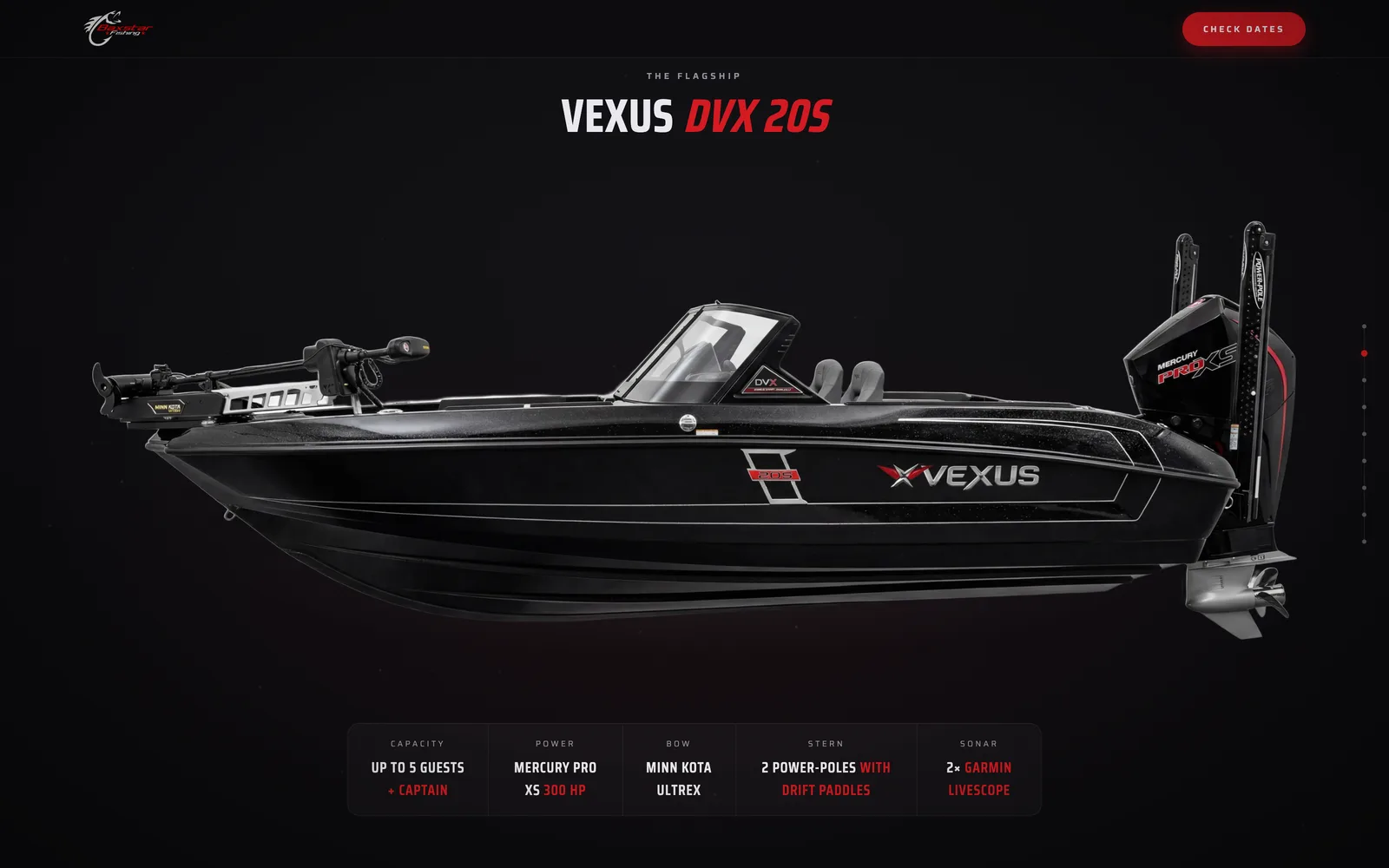
01The flagship

A product site, not a template.

Scroll-driven, built for one boat: the Vexus DVX 20S that Baxstar Fishing runs its private trips on. Every spec is the real spec.

Built with Claude Code · live at boat.baxstarfishing.com

02The details

The command center, drawn in as you scroll.

Two Garmin LiveScope units on dedicated displays. The page walks the boat bow to stern, the way a guide would on the dock.

03The crew

The crew chapter, with the receipts.

One file, built with Claude Code. I directed every line. Open it, scroll it, judge it.

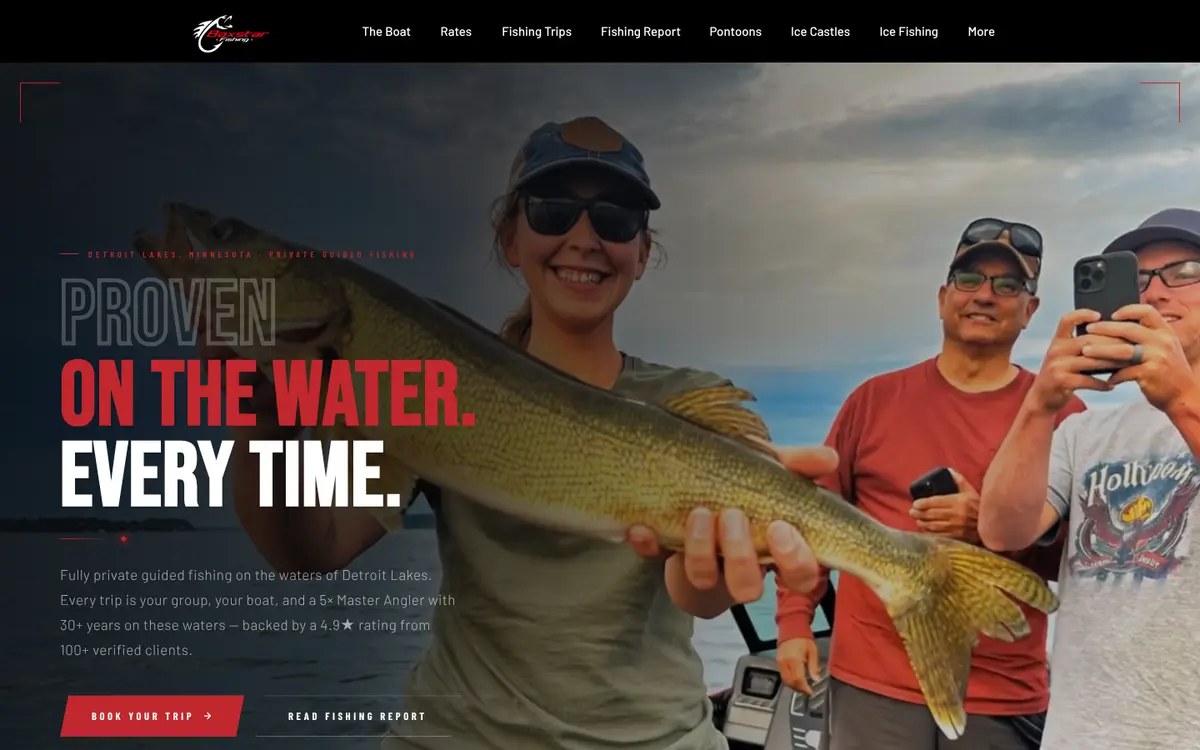
Vexus DVX 20S — the boat.baxstarfishing.com build The command center chapter of boat.baxstarfishing.com: two Garmin LiveScope displays on the deck The crew chapter of boat.baxstarfishing.com: plenty of room for you and your crew
Frames captured from the live site. Nothing here is a mock-up.

The walkthrough

39 seconds, in my own words.

That’s me on camera, scrolling the site I built and saying what it does.

Brady, in the corner of the screen, with the boat site open behind him
Real screen recordingCaptions onNothing generated
Read the transcript

“I did this with Claude Code, and this is something that I could teach you how to do, whether you’re a fishing guide or a business owner that wants to make a website that catches people’s attention, okay. So on scroll, the boat just appears, okay. You scroll again, it’s going to show you different aspects of the boat, okay. You keep scrolling, boom. It shows you the, you know, the premium experience. You get to see the boat, okay. And then lastly, you know, it tells you plenty of room for you and your crew, and there’s proof, okay. And this is something I can teach you how to do, whether it’s for business or for home. Let me help you make cool things.”

More of the work

Smaller things.
Same rule.

Built for one job, used for real.

Video · YouTube

Make AI ask you questions before it builds anything.

Before it writes any code, have the AI ask you questions first. You answer its “what ifs” before they turn into fixes.

Watch on YouTube (opens in a new tab)
The Lesson Plan Book: a week view calendar with class periods filled in
Small tool · classroom

The lesson-plan book

A plain calendar, rebuilt into the lesson-plan book I use at school. It could be anyone’s calendar for anything.

An AI-generated thumbnail after specific feedback: two hoses coupled on rock, chalk lettering still rough
AI image · judgment

One note, one revision

Same request, specific feedback, better result. The cords got real. The chalk still needed work — and I say so.

Screen walkthrough · YouTube

The chaos-day tracker

I was running too many AI threads and losing track. So I had AI build a small tool that logs the mess and drafts the day’s recap — I still read it before I trust it.

Watch on YouTube (opens in a new tab)

Two ways in · Audit

Workflow audit.

For a business that’s curious but careful.

I look at how your work actually flows and tell you what to automate — and just as important, what to leave alone.

  • 01One workflow, one working session with me, on your real screens
  • 02Recommendations that fit the Google or Microsoft stack you already pay for
  • 03A 2–3 page write-up you can act on: what to automate first, what to leave alone, and why
Book an audit

Two ways in · Build

One tool, one job.

A small custom app that does one job, well.

When off-the-shelf won’t fit, I build the one thing that will — simple on the surface, and yours to keep.

Scope a build
Reservations app
Shipped
Commission calculator
Shipped
Dynamic pricing engine
Shipped

What I believe about AI

AI hasn’t shortened my workday.It has expanded what I can attempt.

Where it earns its keep, use it.

A task that swallows a day is worth handing over. A task that takes ten minutes is not.

Where it doesn’t, leave it alone.

Half of an honest audit is telling you what not to touch.

Judgment stays with the person.

I don’t sell autopilot. I set things up so you can see what the tool did and decide.

Brady Baxter, smiling, in a black pullover over a gray shirt and tie

Who’s behind it

A teacher who runs two businesses.

I hold a master’s in technology and instructional design, I’ve spent 13 years in classrooms, and I’ve taught AI inside a system that doesn’t change quickly: a school. I also run two businesses. I use AI to do real work with real money on the line — not to make demos.

  • Baxstar FishingSix years of guided trips
  • Lakes Golf SimulatorOpen 24/7, unstaffed
  • Classroom13 years teaching
  • On the water5× Minnesota Master Angler
  • On stageSpoke at Minnesota’s largest EdTech conference, next to the keynote

Start a conversation

Tell me what’s getting in the way.

All fields except interest are required.

Goes to Brady’s inbox · usually a reply within a day.

No pitch. Just a straight answer.

Tell me the task that eats your week. I’ll tell you whether AI is the right fix, what it’d take, and whether it’s even worth doing. If it’s not, I’ll say so.

Questions, answered

Before you
reach out.

What does Brady Baxter actually do?

I help businesses put AI to real work. I run workflow audits and build custom apps, dynamic pricing engines and single-file websites. I also write and direct AI images, short video ads, thumbnails and social cards, and I teach hands-on AI classes when they’re on the calendar. Everything I offer, I’ve used in my own businesses first.

Do you work with small businesses, not just big companies?

Yes — small and owner-run businesses are exactly who I build for. I run a fishing guide service and an unstaffed golf simulator myself, so I understand tight margins and no spare staff. The goal is tools that do one job well and don’t need babysitting.

What is a workflow audit?

An honest look at how your work actually flows. I tell you what’s worth automating and, just as important, what to leave alone. You get a clear plan that fits the Google or Microsoft tools you already pay for — no guesswork and no hype.

Will you build a custom tool for my business?

Yes, when off-the-shelf software won’t fit. I build one tool for one job and keep it simple on the surface, so your team isn’t stuck babysitting it. Examples I’ve shipped: a reservations app, a commission calculator and a dynamic pricing engine.

Do you make images, video and ads, or only software?

All of it — software is only part of what I make. I write and direct AI images, short video ads, thumbnails and social cards. I also build websites, custom apps and dynamic pricing engines, and run workflow audits. Every rendered asset is labelled as a render; every screen recording is a real screen.

Do I have to buy new software or monthly subscriptions?

No — I start with free options, like a simple script or the tools you already have. When a paid tool earns its keep, I’ll say so: I keep a toolbox of paid AI and automation tools and know how to use them well. You decide what’s worth paying for, and what I build is yours to keep.

Which AI tools do you work with?

ChatGPT, Claude and Google Gemini, plus Microsoft Copilot. I don’t force every task into one tool; I pick the one that fits the job, the same way I do in my own businesses. If your team already pays for one of them, we start there instead of adding another subscription.

Are you teaching AI classes right now?

Check the upcoming classes section for the latest info. When classes run, they’re hands-on: you watch AI work on the big screen, then do it yourself on your own laptop. If no dates are posted, send a message through this site and I’ll tell you when the next class is set.

Where are you based, and do you work remotely?

I’m based in Detroit Lakes, Minnesota, and work with businesses across Minnesota and remotely. Audits and builds can be done remotely — the easiest way to start is a message through this site. Tell me the task that eats your week, and I’ll tell you whether AI is the right fix.

The public Caption Studio, running in its own window. Photos go to the tool’s own service, not to this site.